An AI TikTok slideshow generator whose posts don't read as AI.
ClonBot is an AI TikTok slideshow generator for app makers. It doesn't start from a prompt. It starts from a slideshow that already went viral, rewrites it around your app, shoots it with one consistent creator and puts your real app screens on the phone.
Type your app. Three slideshow ideas in about 20 seconds, free and without sign-up.
A prompt gives you slides. A viral post gives you a reason to swipe.
Most AI slideshow makers turn a sentence into a deck: a title, a few feature slides, a call to action. That works for a presentation. On TikTok, people scroll past anything that looks like an ad.
What a prompt-first generator starts from
One line from you, then slides built from scratch with nothing to say they'll hold anyone.
What ClonBot starts from
A real post that already worked, with the numbers that prove it and notes on why.
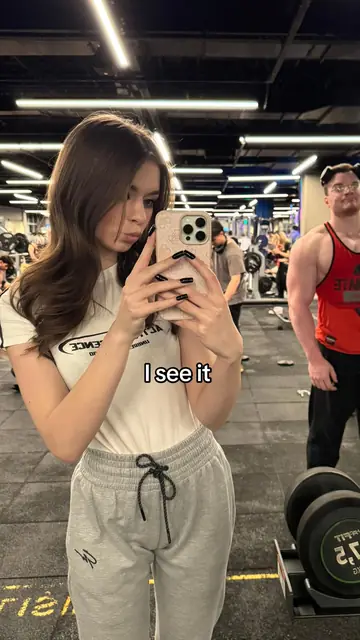
- Views
- 39M, on an account that usually got under 2,000
- Shape
- 4 slides, 2 or 3 words each
- Why it worked
- See, like, want, got, then a big jump on the last swipe
Anatomy of a generated slideshow, slide by slide.
The post above, rebuilt by ClonBot for a dating app. The original had 4.7M likes and 185K shares. Here is what the AI kept, and what it rewrote so the app could live inside the story.
Slide 1: I see it
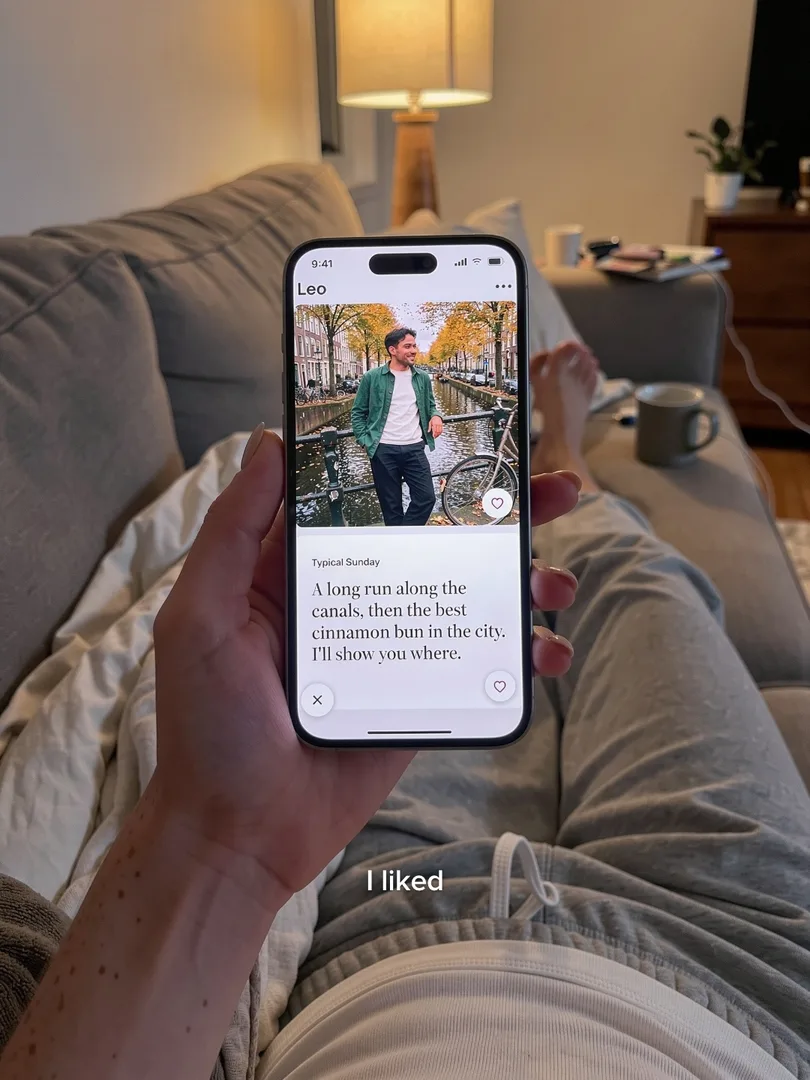
Slide 2: I liked
Slide 3: I want it
Slide 4: I got it
What the AI does for every post, and the one step that's yours.
Six jobs run on every slideshow. The grey notes show what each did for the dating app remake.
Reads why the original worked
Hook, slide count, rhythm, text style and the moment people swipe for. These stay fixed.
For the remakeFour beats, 2 or 3 words each, small white text mid-slide, payoff on slide 4.Rewrites the story around your app
It finds the one moment where your app would really be in someone's hand. Rarely the hook slide.
For the remake"I liked" becomes a like in the app.Casts the people
Your account has one creator who appears in every post. Friends, dates and family are picked per post from 100+ faces.
For the remakeRuby as the creator, a new guy from the cast library.Makes the photos
Phone-camera photos in ordinary places, taken mid-moment. Same clothes and rooms carry across slides.
For the remakeA gym, a sofa, a bar, a coast. Grey sweatpants on slides 1 and 4.Puts your real screen on the phone
Screens come from your App Store page, screenshots you upload, or a coding agent that captures your Swift app in the simulator.
For the remakeA real profile screen from the app, held in her hand.Checks every slide
Same face throughout, text readable and in place, the screen sharp. Slides that fail are made again.
For the remakeFour slides, one face, one app screen.You approve, or type a fix
"Make the bar darker" changes only that slide. Approved posts go to TikTok at your times with a trending sound, or to your drafts.
AutopilotBuilds tonight's posts for the day after tomorrow, so there is always a day to review.
Four tells of an AI slideshow, and how ClonBot avoids them.
Viewers spot a generated post in a second. Each of these four tells is a rule the generator follows.
Everyone has the same face
Group photos where the friends look like siblings of the creator.
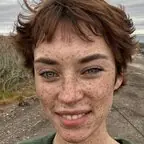
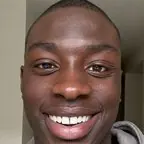
ClonBot casts each person from a library of real-looking, different faces, and keeps your creator the same in every post.
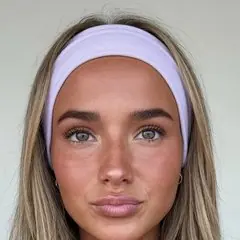
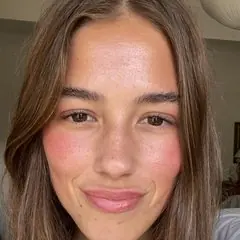
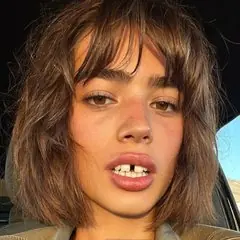

Glossy, staged photos
Perfect skin, studio light, everyone posing at the camera.
Photos look like they came off a phone: uneven light, normal rooms, people caught in the middle of something.
Text that reads like ad copy
Exclamation marks, feature names and "download now" on the slides.
Overlay text copies the original's voice and length. The app's name never goes on a slide. The screen shows it, and the comments ask.
Drawn-on app screens
Made-up buttons and blurry text where your product should be.
The phone shows your app's actual screens, so people who download it find what they saw.
Examples made by ClonBot to show what it does. We're not affiliated with Finch or Planta. Tap a photo to swipe the whole post.
Why the generator copies structure, not just style.
Three numbers from the library that shape how ClonBot writes a post.
of the formats with account data beat that account's usual views at least tenfold (1,247 of 1,259). Not a guarantee, but a better start than a blank prompt.
The dating post above beat its account's usual views 21,000 times over.
is the median hook. Almost two in three hooks use 9 words or fewer, so the generator keeps hooks as short as the original's.
- 1–3 words8.6%
- 4–629.2%
- 7–927.1%
- 10–1217.2%
- 13+17.9%
viral slideshows show a phone or app screen at all (125 of 1,332). That's why your app gets one slide in the story, not the whole post.
Share of the 1,332 formats with a phone or app screen on any slide.
Four formats where an app already fits. Tap one to swipe it.
Questions before you generate.
Is there a free AI TikTok slideshow generator?
You can try ClonBot free: type your app at the top of this page and you get three slideshow ideas for it in about 20 seconds, with no sign-up. Setting up your app and creator is free too. Plans that make and post slideshows start at $99 a month for 60 posts. See pricing.
Do I have to write prompts?
No. You add your app once, from its App Store link or your own screenshots, and pick a creator. The generator chooses formats from the library, or you like the ones you want. To change a slide, you type a sentence about what should be different.
How is this different from ChatGPT plus Canva?
A chat assistant writes the text and a design tool lays it out, but the idea, the photos, the same face across posts and the daily posting are still on you. ClonBot does those steps, starting from a format with real views.
Does it make TikTok videos too?
ClonBot makes photo slideshows. TikTok plays them in the feed with a sound, and ClonBot adds a trending one when it posts. If you need a talking-head video, you'll want a different tool.
What is the best AI slideshow generator for TikTok?
For one-off slides from your own photos, TikTok's photo mode or a design tool is enough. For daily slideshows for an app that look like a real person's posts, pick a generator that starts from proven formats and uses your real screens. We compare the options in the best TikTok slideshow makers.
Keep reading
Let the AI do the slides. You keep the final say.
Setting up your app and creator is free. Plans from $99 a month for 60 posts.