TikTok slideshow templates taken from posts that already went viral.
Ten templates pulled from 1,332 TikTok photo slideshows with millions of views each. Not fonts and frames: the hook, the slide count and the job of every slide, with the views and saves each template earned.
Free, no sign-up. Type your app and get three slideshow ideas for it in about 20 seconds.
10 templates1,332 viral slideshows behind them7.8B views between them
A slideshow template is a structure, not a design.
A TikTok slideshow template is the repeatable structure of a post: a hook on slide one, a set number of slides, one job for each slide and a text style. Design templates from Canva, CapCut or PowerPoint sites give you the look. The structure decides whether people swipe to the end and save it.
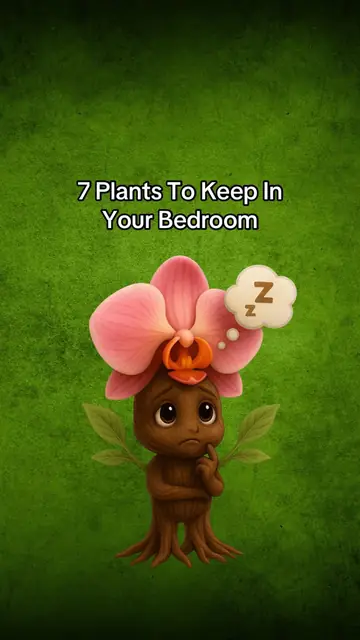
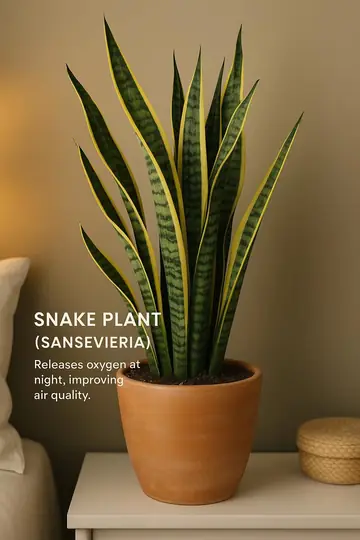
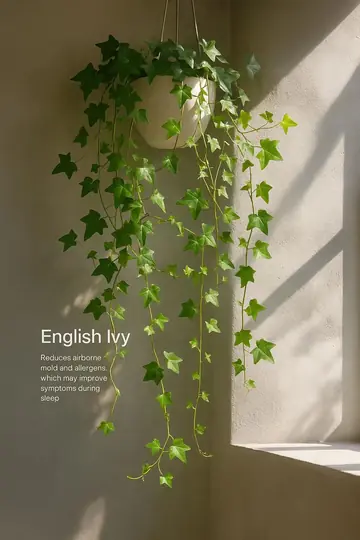
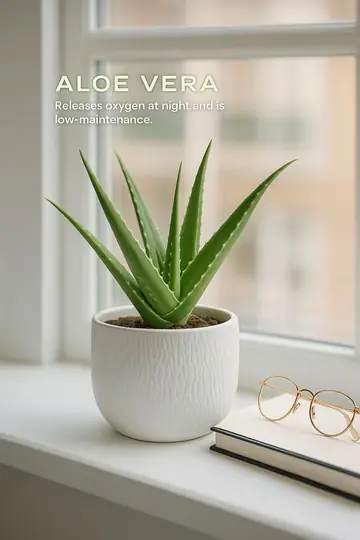
Slide 1Hook: a number and a placeSlide 2Snake plant + one benefitSlide 3Jasmine + one benefitSlide 4Lavender + one benefitSlide 5Ivy + one benefitSlide 6Chamomile + one benefitSlide 7Peace lily + one benefitSlide 8Aloe vera + one benefit
A guide with 8.0M views and a 6.4% save rate. Same light, same text position, one plant per slide.
The hook
8 words
The median length of slide one across the library. This one uses six, and leads with a number.
The slide count
4 to 9
Slides in the posts that get saved most: a 3.9% median save rate, against 1.5% for one to three slides.
The slide jobs
91%
of the viral slideshows put text on the last slide too. Every slide has a job, including the final one.
The text style
2 or 17
Median words per slide in photo dumps versus tips lists. The template sets how much people read.
Ten TikTok slideshow templates, with the numbers behind them.
Each template is a format type in the ClonBot library. The skeleton is what those posts have in common. The numbers are medians across every post of that type, so sort by what you want the post to do.
Sort by
Hook
One item or beat
Payoff
Close
The checklist
Things to ask, do, pack or buy. The most saved template in the library.
Slide 1: the list and the stakes, like "7 questions to ask your mom before it's too late".
Slides 2 to 6: one question or one short bulleted list per slide, on the same background.
Last slide: a one-line takeaway that ties the list together.
Median views
2.8M
Saved
5.1%
Comments per 10K views
2.9
Posts in library
59
The cheat sheet
Reference information people come back to. The most common viral template of all.
Slide 1: the topic as a guide, like "gym guide: glute edition", often on a notes-app screenshot.
Slides 2 to 6: one sub-topic per slide, as a labelled chart or list that works as a screenshot on its own.
Last slide: one more chart, or a reason to follow for part two.
Median views
2.5M
Saved
5.0%
Comments per 10K views
2.3
Posts in library
305
A week of meals
Food, fitness and plans. The highest median views of any template here.
Slide 1: the frame, like "7 days of easy dinners", over the kitchen or the groceries.
Slides 2 to 7: one day or meal per slide, labelled with the dish name and nothing else.
Last slide: the best-looking meal, or "recipes in bio".
Median views
7.2M
Saved
4.4%
Comments per 10K views
1.4
Posts in library
23
Same skeleton: workout plans and routines (45 posts, 3.9% saved), one day per slide.
Things that actually helped
Tips people can try tonight. The wordiest template: 17 words a slide.
Slide 1: the promise plus a reason to trust it, like "weird hacks my psychiatrist gave me for insomnia (that actually helped)".
Slides 2 to 6: one tip per slide: a bold line, then one line on why it works.
Last slide: a question back to the viewer, so the comments add tips.
Median views
2.3M
Saved
4.1%
Comments per 10K views
3.3
Posts in library
221
The countdown ranking
Opinions people will argue with in the comments.
Slide 1: what is ranked and by what, like "10 hardest degrees you could study".
Slides 2 to 7: a countdown from last place, one entry per slide with a short label.
Last slide: number one, saved for the end so people swipe all the way.
Median views
3.7M
Saved
3.3%
Comments per 10K views
3.1
Posts in library
69
The captioned photo dump
Visual ideas: gifts, haircuts, outfits, places. Almost no reading.
Slide 1: the category in five words or fewer, often over a collage.
Slides 2 to 8: one idea per slide, named in one to three words. A third of these slides have no text at all.
Last slide: the strongest photo, not a sign-off.
Median views
3.7M
Saved
3.3%
Comments per 10K views
3.0
Posts in library
175
This vs that
Teaching a difference: wrong and right, mine and his, myth and fact.
Slide 1: both sides in the hook, like "gaslighting vs respectful phrases".
Slides 2 to 6: one pair per slide, always in the same order and layout.
Last slide: a one-line conclusion about the difference.
Median views
4.2M
Saved
2.0%
Comments per 10K views
2.7
Posts in library
56
Variant: myth vs fact posts (12 in the library, 6.2M median views) split each pair into "I thought" and "I realized".
Before and after
Transformations and reframes. The photos carry it: 3 words a slide.
Slide 1: the before, or a date stamp like "2021".
Slides 2 to 6: a progression or before-and-after pairs, the same subject every time.
Last slide: the after, or the line that names what changed.
Median views
5.5M
Saved
1.4%
Comments per 10K views
3.1
Posts in library
34
The story with a reveal
Reach and comments. The longest template, at 10 slides.
Slide 1: a setup that raises a question, like "asked each of my family members to draw me a flower".
Slides 2 to 9: one beat per slide, captioned with a word or two.
Last slide: the reveal that explains why the post exists.
Median views
5.8M
Saved
1.4%
Comments per 10K views
4.8
Posts in library
68
The relatable one
Shares and comments. The shortest template and the most commented.
Slide 1: a label everyone recognises, like "Gen Z as lawyers".
Slides 2 to 4: one punchline per slide in the same setting.
Last slide: the strongest punchline, so people tag a friend.
Median views
5.0M
Saved
1.3%
Comments per 10K views
5.1
Posts in library
85
Saves and views pull in opposite directions. The four most saved templates (checklist, cheat sheet, week of meals, tips) are useful, so people keep them. Stories, relatable posts and before-and-afters get more views and comments but are saved a third as often. Pick the template for the job: saves for a steady account, stories for reach. Want more than ten? The slideshow ideas library has all 1,332 posts by niche, and the hooks guide covers slide one in depth.
How to remake a viral slideshow without copying it.
Copying is reposting someone's photos and words. Remaking is keeping their template and replacing everything that belongs to them. Here is the plants guide from above, remade for a plant care app.
The original8 slides · 8.0M views
The remake6 slides · new creator
PartOriginalRemakeKept?
Hook"7 plants to keep in your bedroom""6 plants to keep in your bedroom"Kept
Slide jobsOne plant per slide: name in caps, one benefit lineThe same, one plant per slideKept
LookWarm window light, text over the photoWarm window light, text over the photoKept
PhotosAn illustrated cover, then separate plant shotsOne real bedroom, with the creator on slide oneNew
Last slideOne more plantHow she keeps them alive, with the app on her phoneNew
Example made by ClonBot to show what it does. We're not affiliated with Planta.
Five steps to remake any slideshow
This is the same process whether you do it by hand or let a tool do it. The skeleton comes from the original. Everything a viewer could recognise as someone else's comes from you.
Find a post that beat its account.A post with 10x the account's usual views proves the format, not the follower count. Every post in our library is one of those.
Write down the skeleton.Hook pattern, slide count, the job of each slide and roughly how many words sit on each one.
Write a new story in that skeleton.New items, new wording, your own angle. If you make an app, give it one slide where it belongs in the story.
Make your own photos.Your person, your rooms, your screens. Keep the light and the text position if they were part of why it worked.
For app makers, a template is only useful if the app can sit inside the story. When we analysed the library, we marked where an app could go in every post. Some templates almost always have room.
Things that helpedOne tip in the middle is the app, never the first one.
99%
ChecklistOne item on the list, shown on the phone.
98%
Week of mealsThe slide where she logs or plans a meal.
96%
Cheat sheetOne chart is a real app screen.
95%
This vs thatThe app is part of the better side of one pair.
89%
Before and afterWhat changed between the two, shown in passing.
88%
Story with a revealOne beat in the story happens on the phone.
88%
Countdown rankingOne entry in the list, rarely number one.
84%
Photo dumpOne photo with the phone in frame, no caption about it.
77%
RelatableOften only in the caption or a pinned comment.
68%
Share of viral posts of each type where our slide-by-slide analysis found a natural place for an app, without breaking the post.
This is the part ClonBot does for you. It starts from a post in the library, keeps the template, and writes a new story where your app shows up on the slide that fits. The photos are new, with one consistent creator on your account, and the phone in her hand shows your app's real screens.
Autopilot builds posts every night. You approve them, fix any slide by typing what should change, and they post to TikTok at your times. Plans start at $99 a month for 60 posts; see pricing or how it works for TikTok slideshows for apps.
Questions about slideshow templates.
Where can I find TikTok slideshow templates?
Design templates are on Canva, CapCut, Pinterest and PowerPoint template sites, and TikTok's own camera has offered photo templates too. Those set the layout and timing. For the structure of what to post, use the ten templates on this page, or browse all 1,332 viral posts in the slideshow ideas library.
Are these TikTok slideshow templates free?
Yes. Every skeleton on this page is free to use by hand. ClonBot is for when you want them filled with new photos and your app, and posted every day. Plans start at $99 a month, and trying it with the field at the top is free without signing up.
Is it okay to use the same format as someone else?
Formats move between accounts all the time on TikTok; that is how trends spread. Use the structure, and never repost someone's photos or copy their words. If the people, the photos and the story are yours, it is your post.
Which slideshow template gets the most views?
In our library, week-of-meals posts had the highest median views (7.2M), then stories with a reveal (5.8M) and before-and-afters (5.5M). The median across all 1,332 posts was 3.6M. The most saved templates were checklists (5.1%) and cheat sheets (5.0%).
How many slides should a TikTok slideshow have?
TikTok photo mode takes up to 35 photos, but the viral posts in our library had a median of 8. Posts with 4 to 9 slides had the highest save rates. Pick the count your template needs: about 5 for a relatable post, 10 for a story.
How do I make a slideshow on TikTok with a template?
Write the slide text for each slide from the skeleton first. Then tap +, pick your photos in order, add text to each slide and choose a sound. Our step-by-step guide on making a slideshow on TikTok covers each screen.