TikTok safe zone checker, for videos and slideshows.
Drop in your slide or a frame of your video and see exactly what TikTok's caption, username, buttons and top tabs will cover. Then download the overlay as a transparent template.
Making slideshows for an app? Type it and get three ideas with the hook already placed, in about 20 seconds. Free, no sign-up.
The TikTok safe zone is the part of a 1080 × 1920 frame that TikTok's own interface never covers: 120 px in from each side, below the top 240 px and above the bottom 660 px, minus a 180 px wide column on the right, from 840 px down, where the like, comment and share buttons sit. Those are the margins in TikTok's own safe zone template, as of October 2026.
Photo slideshows follow the same rules, with one twist for 3:4 photos, covered below. For every TikTok size and ratio in one place, see TikTok sizes and aspect ratios.
Check your slide against TikTok's interface.
Your image is read in your browser and never uploaded. Switch between video and photo mode and see how the caption length changes what's covered.
Or drag it onto the phone. JPG, PNG or WebP, any size.
Templates use the long-caption zones, the strict case. Zones are measured on a 9:16 screen; on taller phones TikTok adds space above and below, so the same margins still keep you safe.
TikTok safe zone dimensions, zone by zone.
What covers which part of the frame, in pixels.
| Covered by | 1080 × 1920 (9:16) | 1080 × 1440 (3:4 photo) |
|---|---|---|
| Top tabs, LIVE, search | Top 240 px | NothingThe photo starts below the tabs |
| Username, caption, sound | Bottom 660 pxFrom 1260 px down | Bottom 420 pxFrom 1020 px down |
| Buttons | x 780 to 960, y 840 to 1260 | x 780 to 960, y 600 to 1020 |
| Edge margin | 120 px each side | 120 px each side |
| Safe area | 840 × 1020 px, 38% of the frame | 840 × 1020 px, 50% of the photo |
Source: TikTok's In-Feed safe zone template from the TikTok Ads help centre (drawn on a 720 × 1280 frame, scaled by 1.5), checked October 2026. Organic posts use the same feed layout. Shares subtract the button notch. Upload sizes and ratios: TikTok size.
Where viral slideshows put the hook, mapped on the safe zone.
We read the text on the first slide of all 1,332 viral slideshows in ClonBot's library and placed each slide on the screen the way TikTok shows it.
- Under the top tabs0.1%
- Upper third21%
- Middle72%
- Caption zone7%
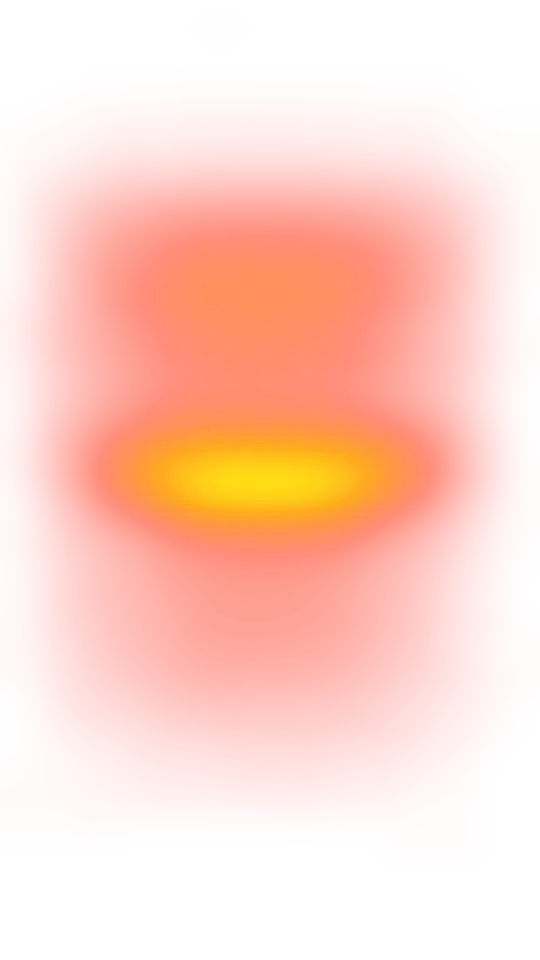
The median hook centre, just above the middle of a 1920 px screen. Half of all hooks sit between 681 and 992 px down.
No line touched the tabs, the caption or the buttons. The rest mostly cross one edge, not the whole zone.
A wide centred line often runs under the first button by a word or two. Readable, but it's the most common slip.
At least one line dips below 1260 px. Only 7% are centred down there, where the caption hides most of it.
Median views were about the same whether the hook was clear (3.6M) or not (3.5M): placement decides whether the hook can be read, not what goes viral. The bright band on the centre line is where TikTok's editor drops new text, so many creators never move it. More on the words themselves in our study of TikTok hooks.
Free TikTok safe zone templates, as transparent PNGs.
Put one on top of your design, keep text and faces inside the dotted line, hide it before export.
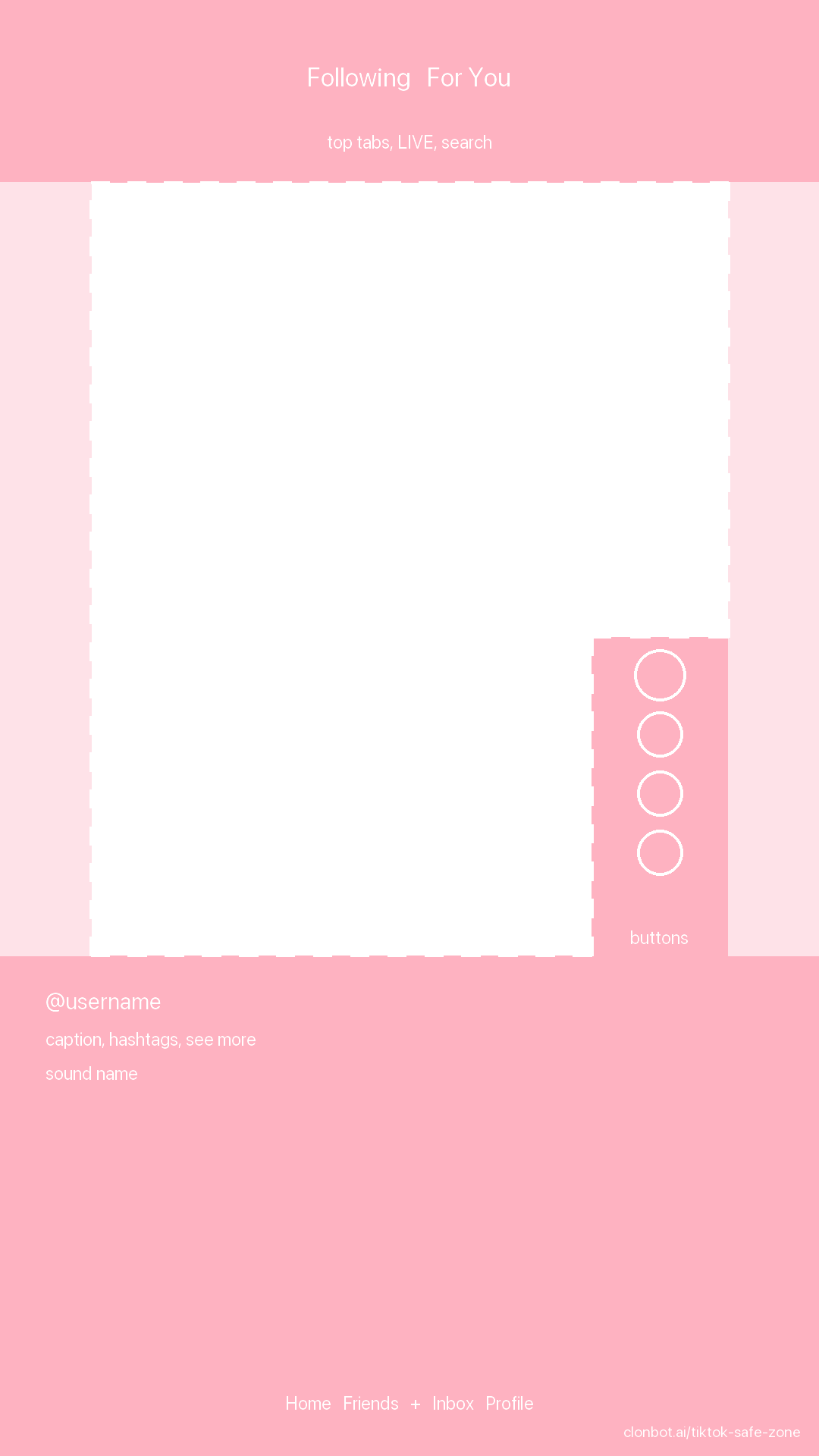
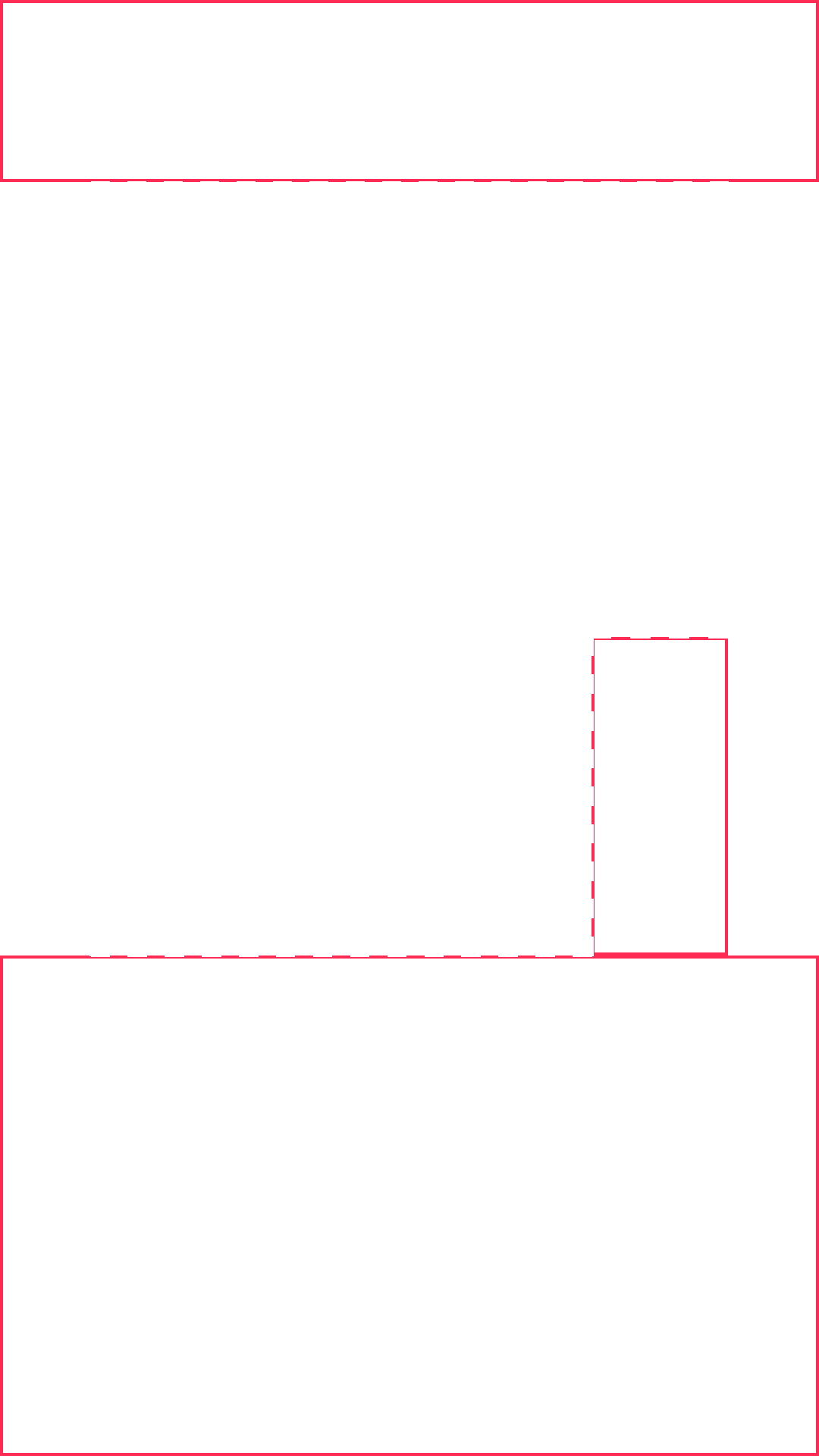
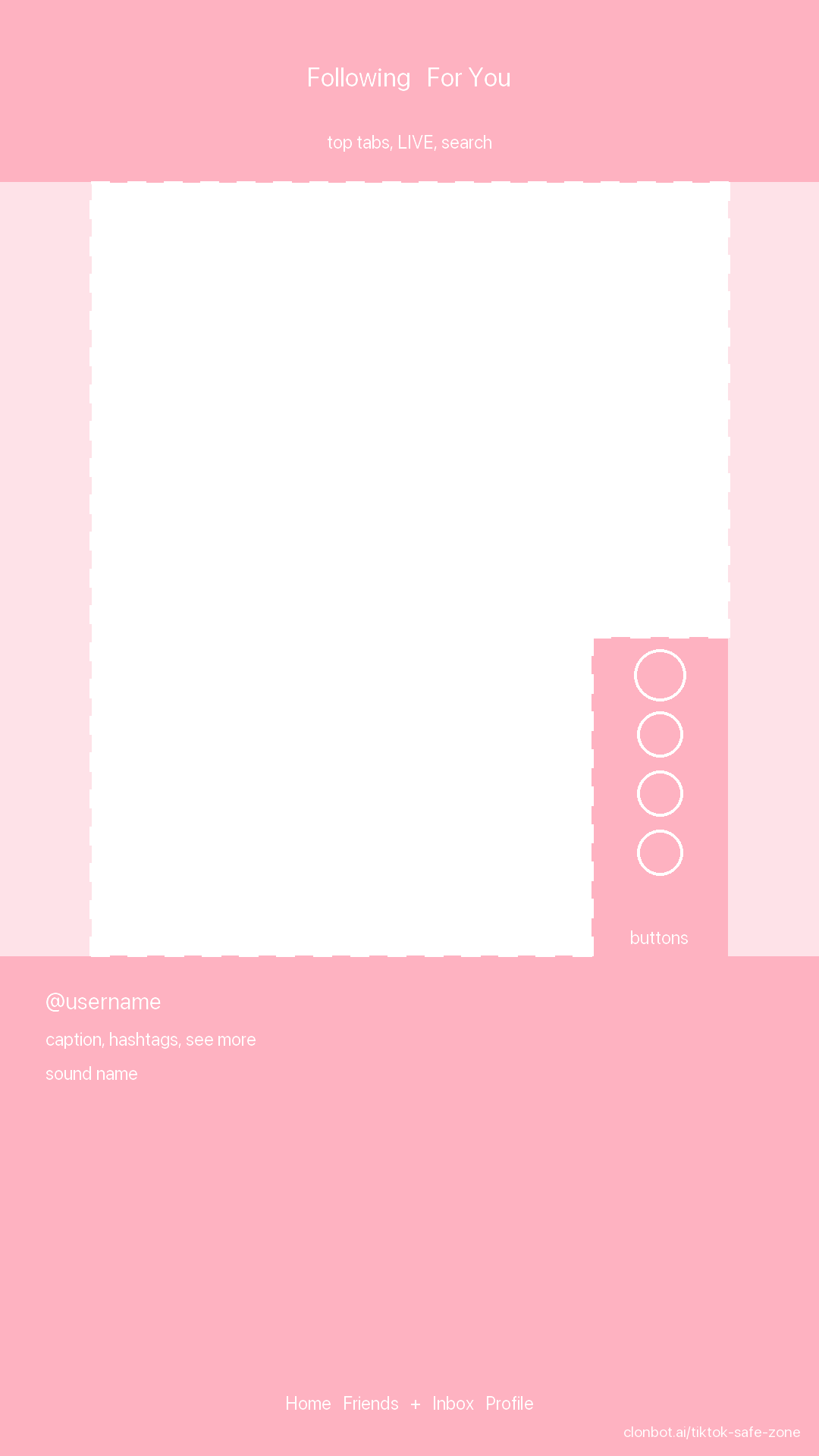
Photo slide, 1080 × 1920
Full-screen slideshow slides, with the slide dots drawn in.
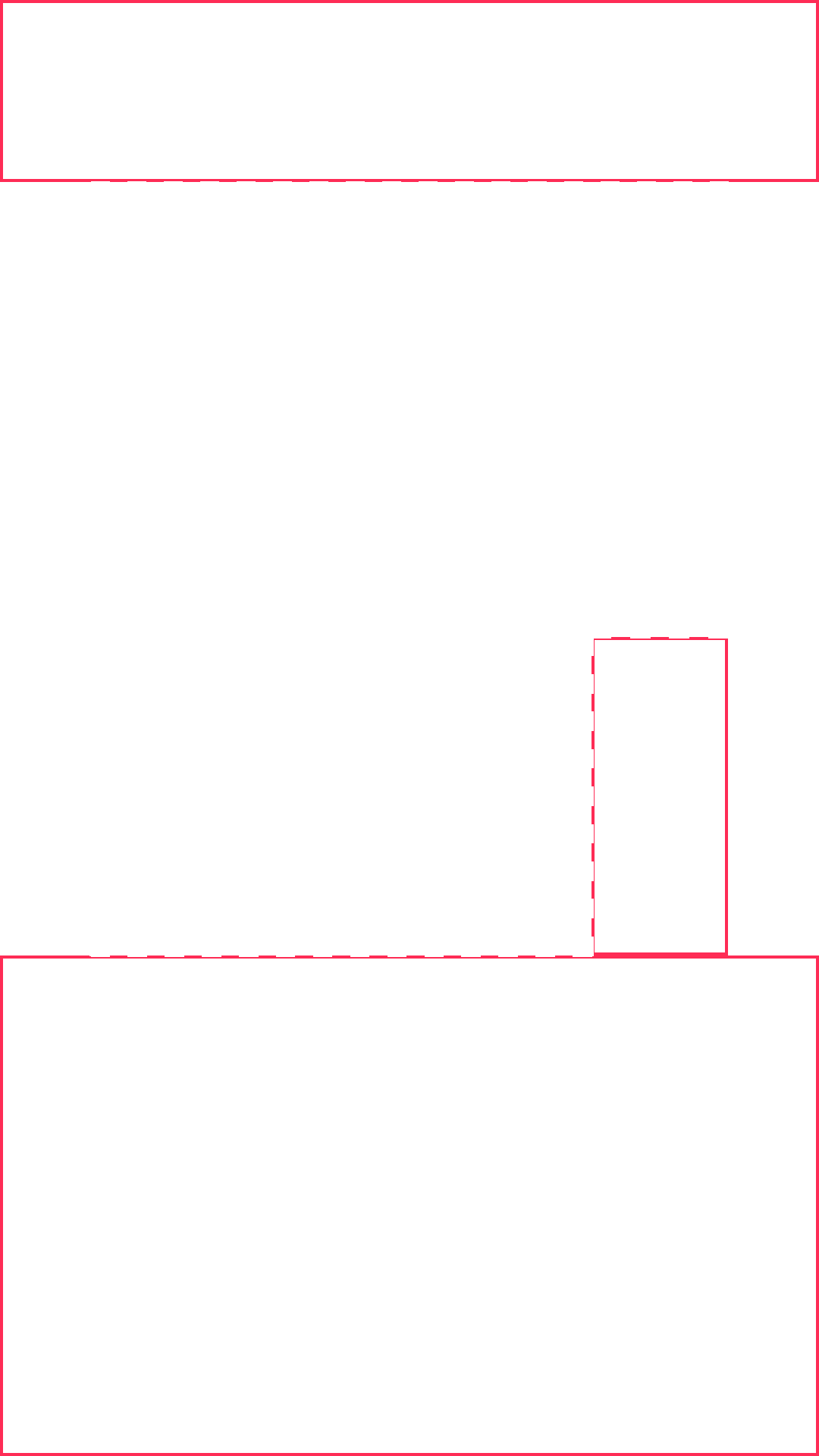
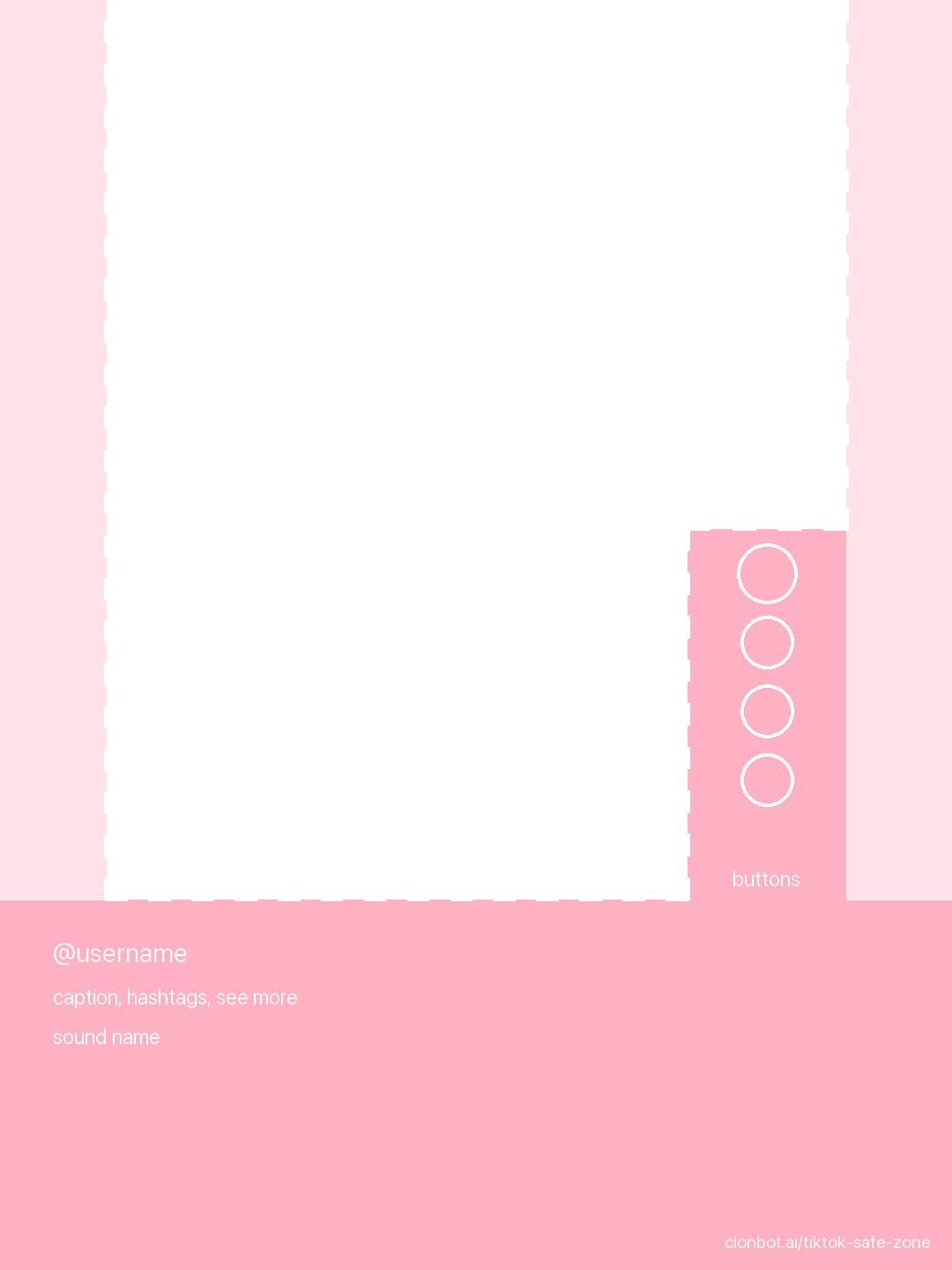
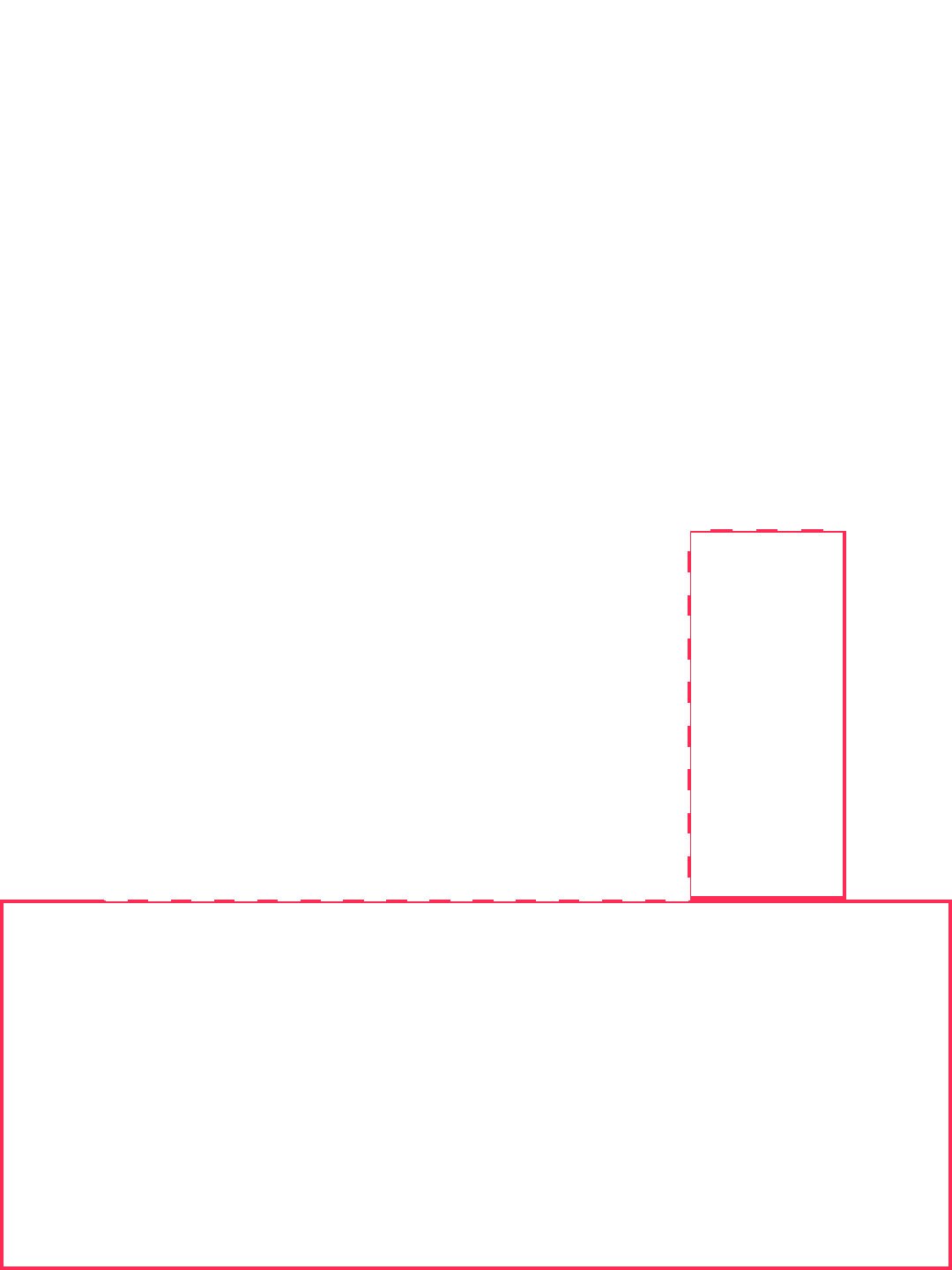
Photo slide, 1080 × 1440
The 3:4 shape of an uncropped phone photo, the most common in viral slideshows.
Canva
Upload it, place it on top, lock it, delete it before download.
Figma
Top layer of the frame at 60%, hidden on export.
CapCut
Add it as a full-frame overlay, remove it before export.
Premiere, Final Cut
Top track for the whole edit, disabled before render.
Video or photo mode: what changes.
Slide dots
Photo posts show a row of dots just above the caption. Keep small text out of that strip.
A free top on 3:4
A 3:4 photo sits below the tabs, so its top edge is safe. Its bottom 420 px still sits under the caption.
Every slide counts
The caption covers the same area on every slide. Writing text in the app? Our guide to adding text to a TikTok slideshow has a quick drag-the-text check.
The cover a viewer sees on your profile is cropped differently again; see how to change a TikTok slideshow cover.
Questions about the TikTok safe zone.
What is the TikTok safe zone?
The part of the screen TikTok's interface doesn't cover: tabs on top, buttons on the right, username, caption and sound at the bottom. Text, faces and app screens inside it stay visible.
What are the TikTok safe zone dimensions?
On 1080 × 1920: 120 px from each side, below the top 240 px, above the bottom 660 px, and clear of x 780 to 960 below 840 px (the buttons). That leaves 840 × 1020 px, per TikTok's own template as of October 2026.
Where can I download a TikTok safe zone template?
On this page: transparent PNGs for 1080 × 1920 video and photo slides and 1080 × 1440 photo slides, shaded or lines only.
Is the safe zone different for TikTok slideshows?
The 9:16 margins are the same. Photo posts add slide dots above the caption, and a 1080 × 1440 photo has a safe top but its bottom 420 px under the caption.
Does a long caption cover more of the video?
A little: the caption grows up a line or two before "more" cuts it off. The template allows for that. With one line, roughly the bottom quarter is covered; compare with the checker's caption switch.
Are TikTok ad safe zones the same?
These margins come from TikTok's In-Feed ads template, so they cover In-Feed ads. Other ad formats and add-ons have their own templates.
Can I use the TikTok overlay for Instagram Reels or YouTube Shorts?
Not as is. Their buttons and captions sit elsewhere, so check each app's layout.
Is my image uploaded anywhere?
No. Your browser reads the file and draws it on the page. Nothing is sent anywhere.
Keep reading
Slides that land in the safe zone, made for you every night.
ClonBot remakes viral slideshows for your app, with one consistent creator and your real app screens, and keeps every hook clear of the caption and buttons. You approve, it posts.
Setting up your app and creator is free. Plans from $99 a month for 30 posts.