TikTok saves: where they go and why creators want them.
How to save a TikTok and find it again, who can see it, and for creators: what a good save rate is, measured on 1,299 posts that went viral.
Free, no sign-up. Three slideshow ideas for your app, built on formats people saved.
A save on TikTok is a tap on the bookmark icon on the right of a post. TikTok calls it adding to Favorites. Your saved videos and photo posts are on your profile under the bookmark tab, and only you can see them unless you share a collection. Creators see how many people saved a post, never who.
For creators, TikTok saves are the clearest sign that a post is worth keeping. Across 1,299 viral slideshows the median post was saved by 3.47% of the people who viewed it: 35 saves per 1,000 views.
How to see saves on TikTok, and how to save one.
The app as of October 2026, on iPhone and Android. Labels move between versions, so look for the bookmark icon first.
 Your profile@you

Your saves live behind the bookmark tab on your own profile.
Save a video or photo post
Tap the bookmark on the right side of the post, or press and hold the post and choose Add to Favorites. Photo slideshows save the same way, with every slide kept together.
Find your saved videos
Go to Profile and tap the bookmark tab in the row under your bio. Everything you saved is under Posts, newest first. On a computer, open your profile on tiktok.com and pick the Favorites tab.
Sort them into collections
Right after you tap the bookmark, TikTok briefly offers to add the post to a collection. Make one ("recipes", "gym") and the post lands there as well as in Posts. Open a collection to rename it, edit it or share it.
Save sounds, effects, hashtags
Tap the sound name at the bottom of a post, or an effect or hashtag page, then Add to Favorites. They show up in their own tabs inside Favorites, ready when you make a post.
Download, which is different
Save video in the share menu downloads a copy to your phone, and only if the creator allows downloads. A favorite stays inside TikTok and disappears if the creator deletes the post.
Unsave something
Open the post from your Favorites and tap the bookmark again, so it is no longer filled in. It drops out of Favorites and any collection it was in.
For creators
Do saves help on TikTok? They show the post was worth keeping.
TikTok doesn't publish how much each action weighs. We can show how often people saved posts that went viral, so you know what good looks like.
Save rate per post, 1,299 viral photo slideshows with save counts (at least 250,000 views each). Check your own post with the engagement rate calculator, or read where the numbers live in TikTok analytics.
What gets saved most: things people will use again.
A checklist, a guide or a recipe is something you come back to. A story or a relatable post you enjoy once and send to a friend.
Save rate leaderboard by format
Median save rate, posts in the library, median views.
- Checklist or list of ideas59 posts · 2.8M views5.1%
- Guide or how-to305 posts · 2.5M views5.0%
- Recipe46 posts · 6.0M views4.5%
- What I eat in a day23 posts · 7.2M views4.4%
- Tips list221 posts · 2.3M views4.1%
- Routine or plan45 posts · 4.0M views3.9%
- Ranking69 posts · 3.7M views3.3%
- Photo dump175 posts · 3.7M views3.3%
- Quotes59 posts · 6.2M views2.9%
- Myth vs fact12 posts · 6.2M views2.4%
- Comparison or this-or-that56 posts · 4.2M views2.0%
- Before and after34 posts · 5.5M views1.4%
- Story or POV76 posts · 5.7M views1.4%
- Relatable post85 posts · 5.0M views1.3%
Slide count vs save rate
Median save rate by number of slides, all formats.
One slide gives nothing to keep; past 15, people stop before the end. More on structure in TikTok slideshow templates.
Is your slideshow idea save-worthy?
Pick a format, slide count and topic. You get the save rate of similar viral posts, the reasons, and two real examples.
Loading the library…
The highest-saved formats, with their real numbers.
Five slideshows saved 200,000 to 1.5M times. Tap one to swipe through every slide.
How to get more saves on TikTok, from what the library shows.
The posts people kept have a few things in common. None is a trick: each makes the post useful a second time.
Make it something to come back to
Steps, a list, a plan, a recipe. If someone would screenshot a slide, they'll save the post instead.
Checklists 5.1%, guides 5.0%, relatable 1.3%Use 4 to 9 slides
Enough to be worth keeping, few enough to finish. One item per slide makes each easy to find again.
7–9 slides 3.9%, 1–3 slides 1.5%Say it's worth saving
"Save this for later" on the last slide or in the caption. Mostly reference posts did it, so part of the gap is the format, but it costs nothing.
Caption mentions saving 5.2% (47 posts), others 3.4%Pick a topic people plan around
Food, study, fitness and apps are things people return to. Dating, faith and sports posts got watched more than kept.
Social media 5.1%, nutrition 5.1%, sports 2.0%Write the full promise in the hook
Hooks that say exactly what's inside were saved more; short punchy ones got more views. Patterns in TikTok hooks.
10–14-word hooks 4.0%, 1–3 words 3.0%Don't buy saves
Paid saves come from accounts that will never come back to the post, so the number stops telling you what your viewers want. A carousel people actually use earns real ones.
Median viral post: 35 saves per 1,000 viewsA save-worthy format with an app inside it
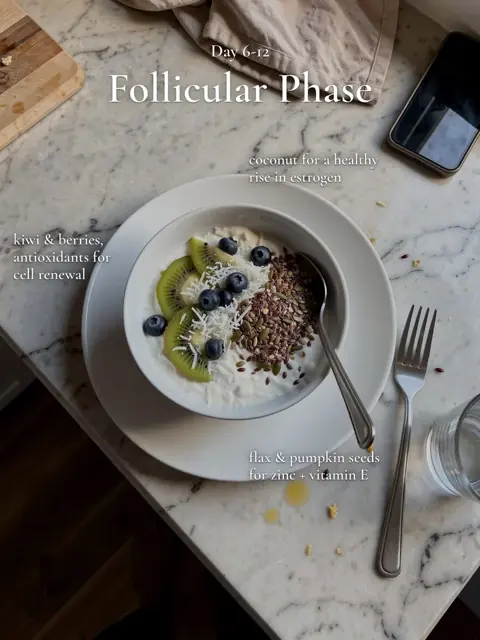
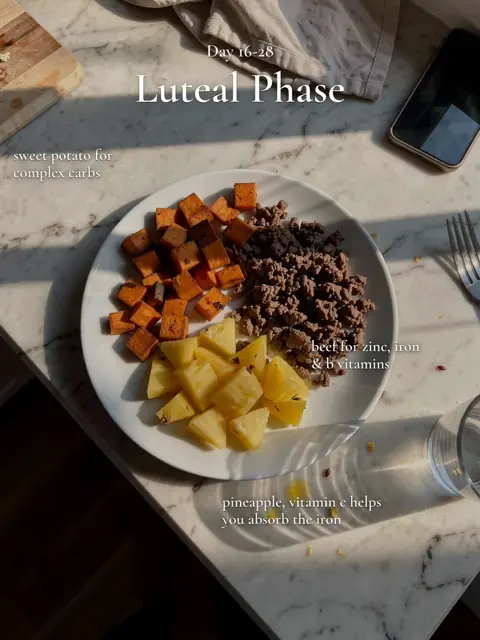
The original "thanks i eat clean now" day of eating got 12.2M views and 484,356 saves, about 4.0% of viewers, kept for the meals. ClonBot kept the hook and the meal-per-slide rhythm and wrote a new day where a calorie tracker's real screen scans breakfast.
Every ClonBot post starts like this: a format people already saved, what made it work kept, your app on the phone. Plans start at $99 a month (pricing).
Examples made by ClonBot to show what it does. We're not affiliated with these apps.
TikTok saves questions.
What are saves on TikTok?
A save is when someone taps the bookmark on a post to keep it in their Favorites. The post's save count shows under the bookmark, and creators see it in their analytics. It means "I want this again", which is why creators watch it.
Where do TikTok saves go?
To the bookmark tab on your profile (Favorites), under Posts, or into a collection if you picked one. Saved sounds, effects and hashtags have their own tabs there.
How do you see saves on TikTok?
Your own saved posts: Profile, then the bookmark tab. How many people saved your post: the number under the bookmark on the post, or the post's analytics in TikTok Studio.
Can anyone see my saves on TikTok?
No. Favorites are private to you. The exception is a collection you share or build with someone; the people in it can see what's inside.
Can you tell if someone saves your video on TikTok?
No. TikTok shows how many people saved a post but not who, and sends no notification for a save.
Can you see someone else's saved videos on TikTok?
Not their Favorites. You can see a collection only if they share it with you. Their liked videos are visible only if their likes setting allows it.
Do saves help on TikTok?
TikTok doesn't publish weights, but a save is a strong signal that viewers found the post worth keeping. In our library, guides and checklists were saved at three to four times the rate of stories, while stories got more views. Aim for saves when the post teaches something.
What is a good save rate on TikTok?
Among 1,299 viral slideshows, the median was 3.47% of views. Above 5.2% is top quarter; under 1.9% is bottom quarter. The format matters most, so compare a guide with guides and a story with stories.
Why did my saved TikTok disappear?
The creator deleted it or made it private, or the account was banned. Favorites point to the live post, so download a copy (if allowed) when you need to keep something for sure.
Slideshows people save. Made about your app.
Setup is free. Plans from $99 a month for 30 posts, built on 1,332 viral slideshows.