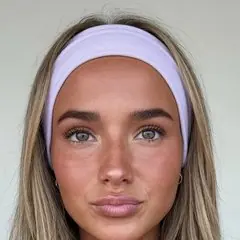
The party friendParty and nightlife
- Who it talks to
- Students planning the weekend
- Formats
- Photo dumps, relatable, POV
- A hook
- things that happen at every pregame
Yes, you can have multiple TikTok accounts and switch between them in one app. The email and phone rules, what TikTok treats as a farm, and a planner for two to five accounts.
Free, no sign-up. Three slideshow ideas for your app in about 20 seconds, a start for your first account.
You can have multiple TikTok accounts. TikTok's community guidelines say "you can have multiple accounts", just not to deceive people, break the rules or get around a ban. Each account needs its own email address or phone number, and the app lets you keep several logged in on one phone and switch with two taps.
Checked October 2026 against TikTok's community guidelines (Integrity and authenticity). TikTok doesn't publish a per-device number, so treat the three-to-five figure as what users report.
The phone app has a built-in switcher. On a computer, use a browser profile per account.
TikTok Studio schedules video posts; photo slideshows are less reliable there. See how to schedule TikTok posts.
Owning more than one account isn't punished. TikTok looks for the pattern of a spam operation: what the accounts do.
TikTok's guidelines "strictly prohibit automation tools, scripts, or other tricks designed to bypass our systems." If reach drops on one account, check its Account status first; the TikTok shadowban guide covers what TikTok restricts and how long it lasts.
One app, several audiences. Each account is a different person talking to a different crowd, testing a different way into the app.
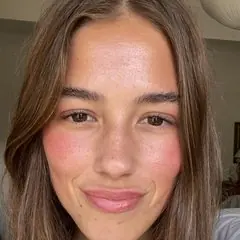
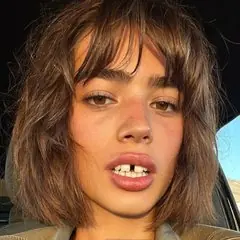
Three personas for one party-game app. If two accounts could swap a post without anyone noticing, they are one account split in two. More on picking lanes in TikTok niches, and on running a faceless theme page next to a persona in TikTok theme pages.
Counted over the 1,303 viral TikTok photo slideshows in our research library (captions, sounds and accounts), October 2026.
Set how many accounts you run, each one's persona and niche, and posts per week. You get a weekly grid where a format runs on only one account per day, times that don't collide, and the plan it fits.
Formats rotate through the 15 most common types in our 1,332 viral slideshows. Times are starting points in your time zone; see the best time to post on TikTok.
ClonBot makes TikTok photo slideshows for apps from 1,332 slideshows that already went viral. Each account gets its own creator from a library of faces, and every post is a new story with your app's real screens. You approve it; it goes out at that account's times.
25% off yearly. Setup is free, and the MCP server for Claude is on every plan. See pricing, or TikTok slideshow automation for how autopilot works.
Yes. Add the second one from Profile, tap your username, then Add account. It needs its own email or phone number. You can switch between them without logging out.
No. Each email and each phone number can belong to one account. Use a second email, a second number, or sign up with an Apple or Google login for the new account.
TikTok doesn't publish a limit on total accounts. The in-app switcher keeps several logged in on one phone; three to five is what most people report working well. For reach, a few distinct accounts beat many thin ones.
Give each one a niche, a persona and its own posts, then plan the week so the same format never lands on two accounts on the same day. On a computer, use one browser profile per account for TikTok Studio. Agencies can link accounts in TikTok's Business Center.
TikTok doesn't show other people a list of your accounts. It can suggest an account to people who have your number or email in their contacts; turn that off under Settings and privacy, Privacy, Suggest your account to others.
Usually the email or phone number is already used by one of your accounts. If an account of yours is banned, TikTok doesn't allow a new one to get around it.
Add a new account with an email or number no one links to you, turn off Suggest your account to others, and set it to private if only approved followers should see it.
Setting up your app and creators is free. Pro covers 90 posts a month across several accounts.